
I’m turning the projects section of this site into a portfolio, so this is the first of a few catch-up posts. The drawings themselves live on the architecture project page, with PDF downloads. This post is the story around them.
The wall repair#
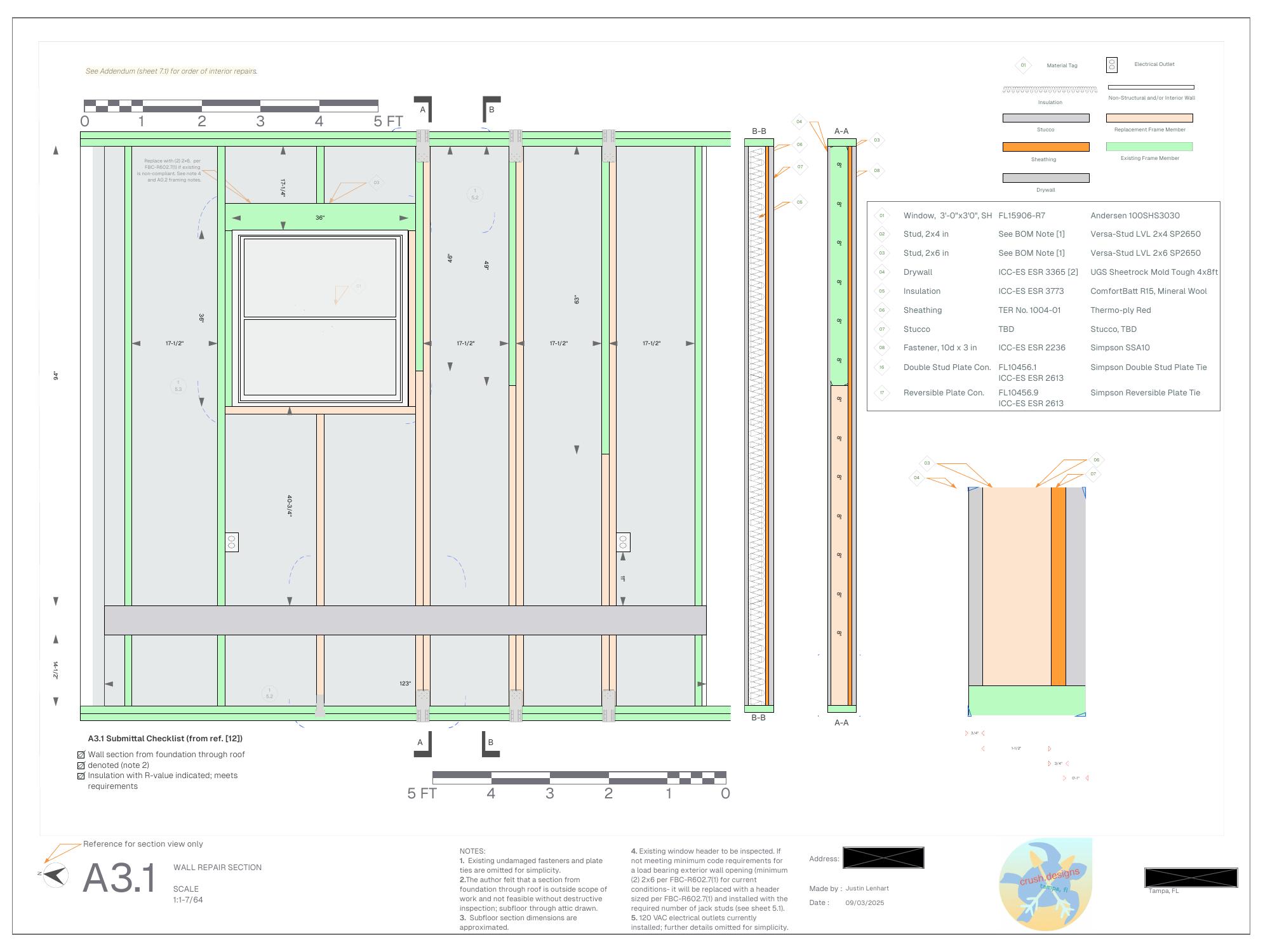
A car hit the side of a rental house I own and took a chunk out of a wood-framed exterior wall. The contractor was happy to do the work but the city wanted drawings, and a full architectural set for a repair this size costs more than the repair.
So I drew it. Eleven sheets: site plan, floor plan, the damaged elevation, a wall section, and detail sheets for the top plate and header, bottom plate and sub-floor, the window and exterior finish, and the storm shutter. Every connector has its ICC-ES or Florida product approval number on the sheet, and every replaced member has a Florida Building Code citation next to it. I wrote an author’s note on the title sheet that says, more or less, I am not an architect, just a guy with CAD and an engineering degree, but the paperwork will look good.
The permit was approved on the first submission. I was very proud of that. The contractor did the work, the inspector signed it off, and the house has a wall again.
The bungalow#
The house I live in is a 1920s bungalow. The second set covers three things, and this time I was my own contractor and pulled the permits myself.
Windows. Like-for-like impact-rated single hungs. The plan sheet tags every opening, the schedule lists the rough openings and the replacement type, and the general notes carry the product approval, anchor spacing, and flashing sequence. This was built, and it was the easy part.
Landscape and irrigation. Every bed in the yard, redone. I drew a sun diagram first, hours of direct sun per zone, then a planting plan, then a drip irrigation plan with each zone on its own valve. An OpenSprinkler controller runs the valves, and it talks to Home Assistant, which exposes it to HomeKit, so the yard waters itself and I can see it from my phone.
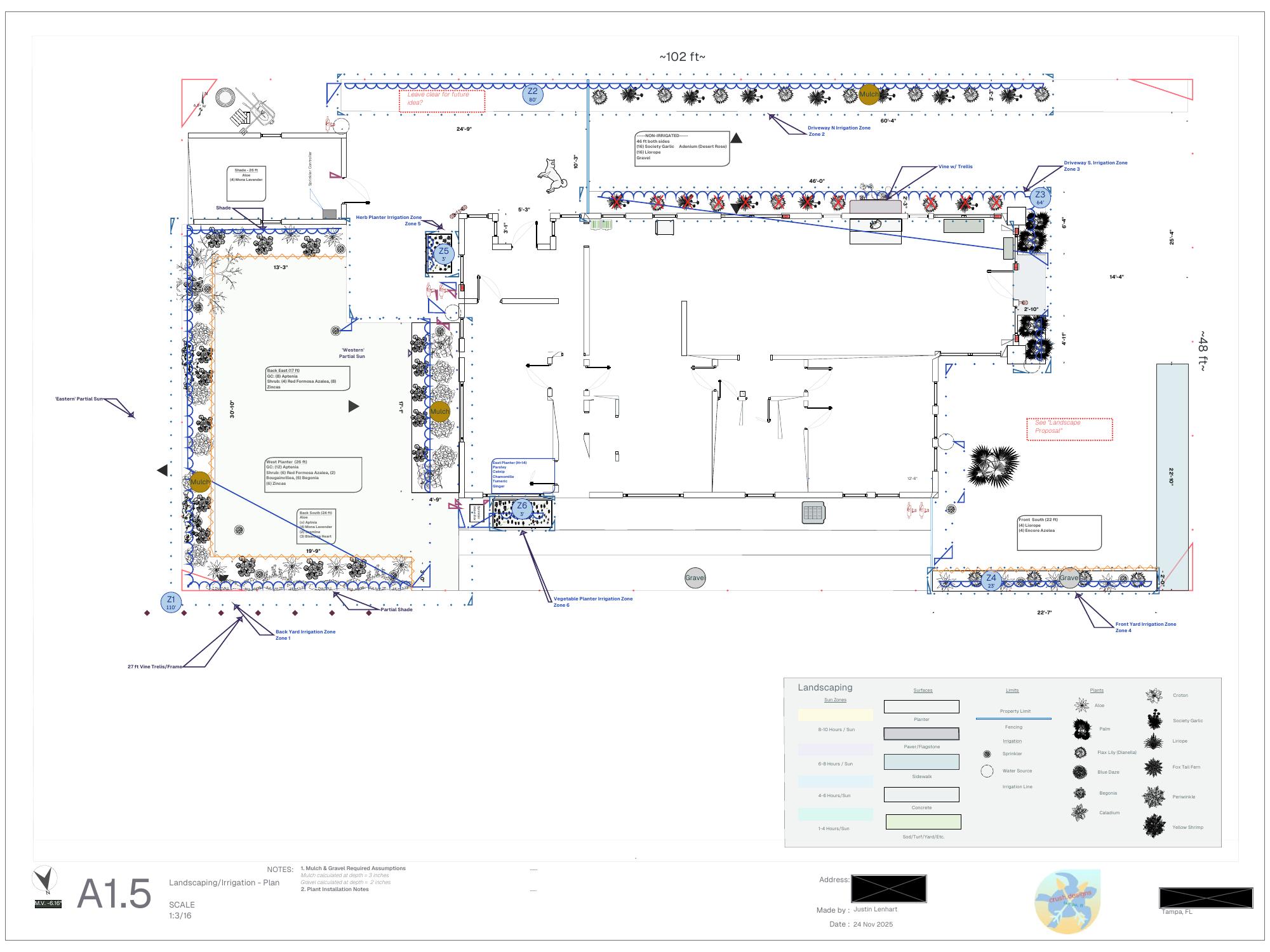
The irrigation system was a success. The plants were mixed. The bleeding heart vine and the zinnias in zone Z1 went wild. The azaleas and the citronella did not make it. I suspect the soil, which I never tested, and I suspect my sun diagram, which was drawn from a few afternoons of looking out the window.
What I would do differently, and what I’m planning to do:
- Test the soil before choosing plants, and amend it. Azaleas want acidic soil; I never checked what they were getting.
- Measure the sun instead of guessing. Put light-intensity sensors in each zone for a few weeks and let the data draw the sun diagram.
- Fertilize in-line. Add a fertilizer injector to the drip system so feeding happens on the same schedule as watering.
- Soil moisture sensors in every zone. Battery-powered nRF52840 boards with a small solar cell, in waterproof enclosures, reporting to Home Assistant so OpenSprinkler can water on actual moisture rather than a timer. That one is a project of its own and will get its own posts.
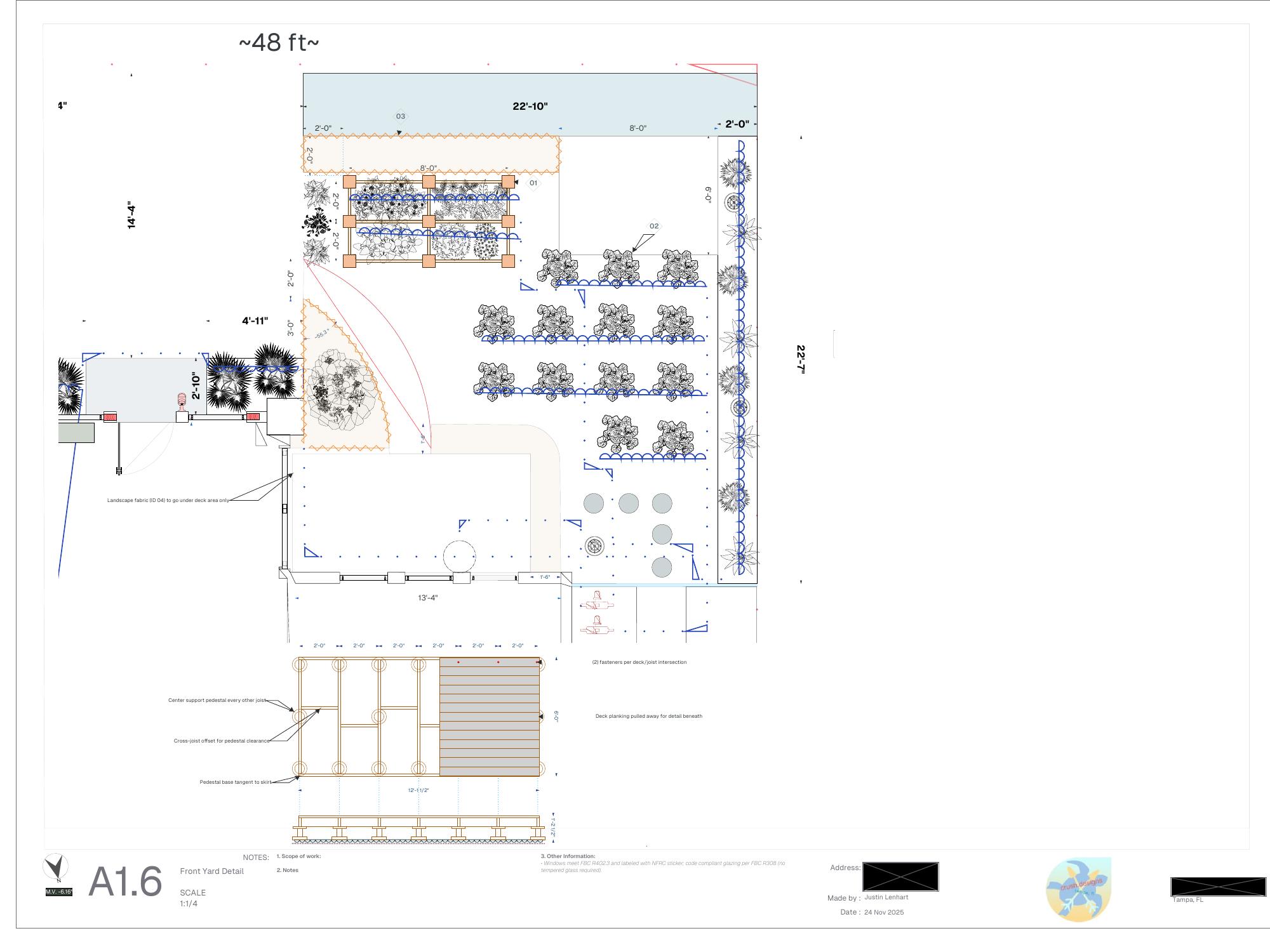
Front yard patio. A pedestal-deck patio with raised planters along the front of the house. Drawn, not built. I’m not yet sure whether this house gets a small renovation or a full professional one, and the patio only makes sense in the first case.
Bonus: a humidity sensor for a flooded condo#
My partner’s water heater burst and put about an inch of water through her condo. With fans and dehumidifiers running for a week, we wanted to see the humidity from our phones, in the Home app, without a hub.
One evening’s work: an M5StickC Plus, a DHT20 sensor on a Grove cable, and HomeSpan, which makes the board a native HomeKit accessory over Wi-Fi. The screen graphs the last 1 to 72 hours, and a tiny web page on the device lists the last 24.
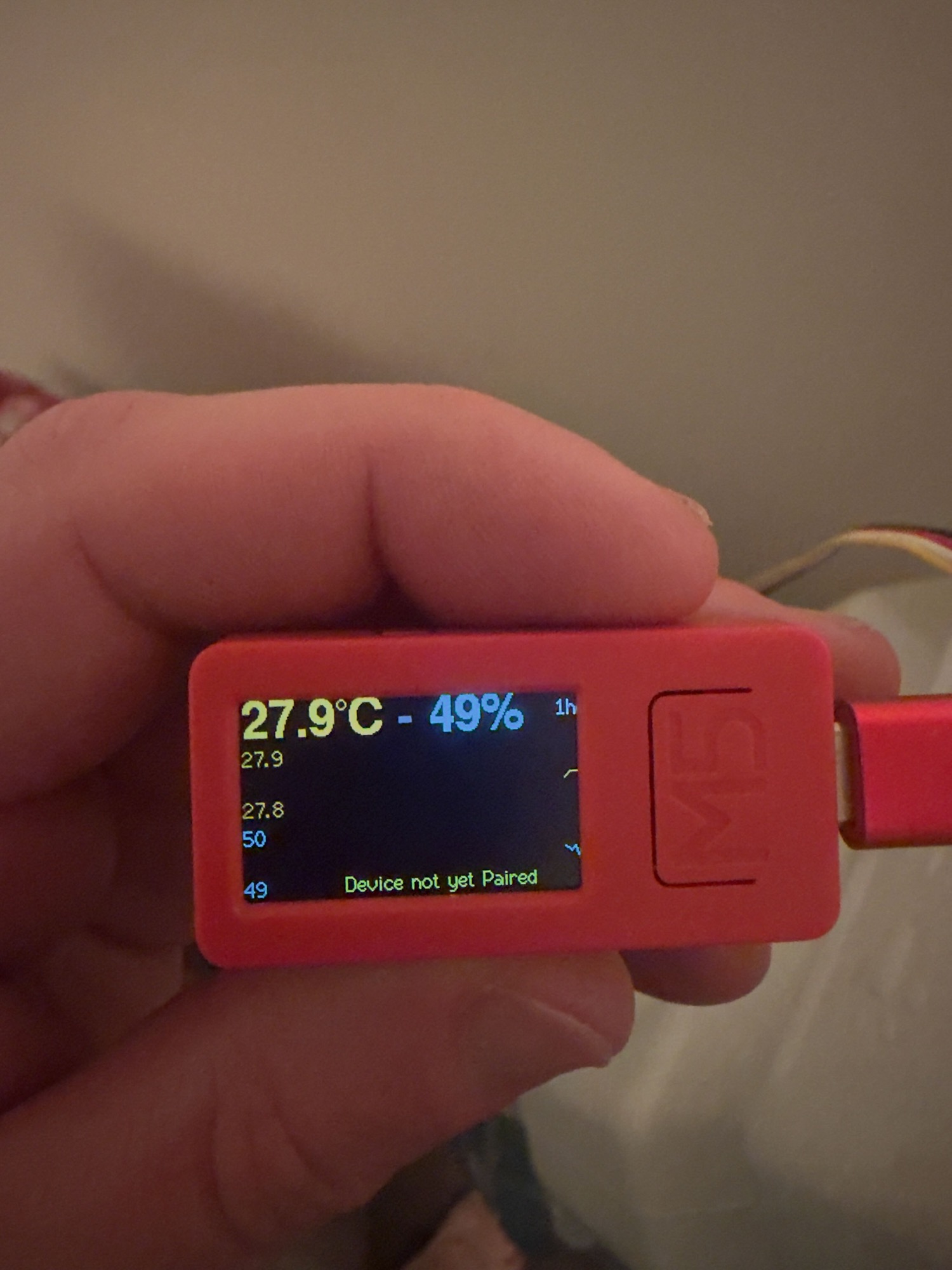
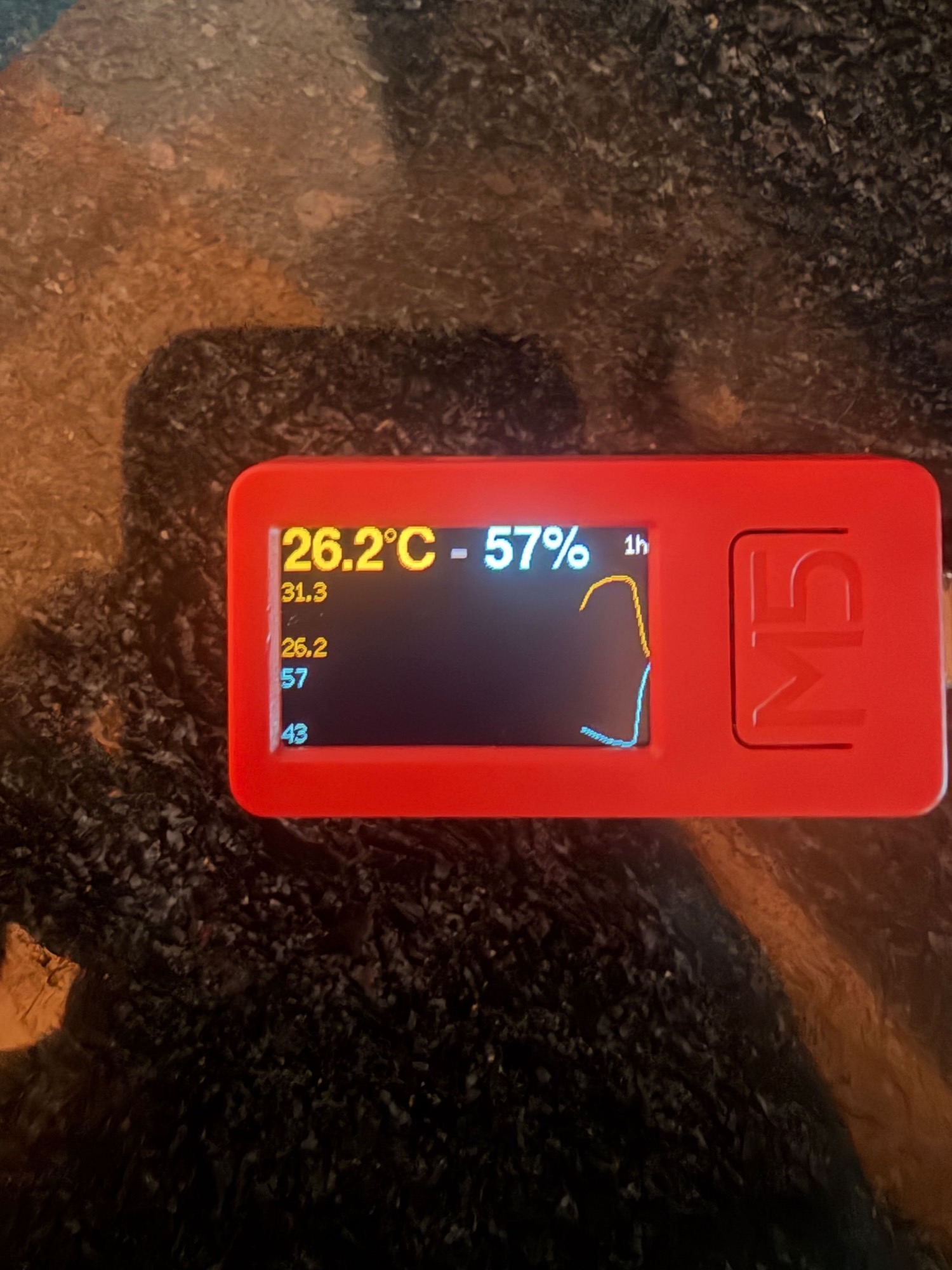
The bummer: HomeKit has no graphs. It shows the humidity right now and nothing else. If you want history, you need a third-party app or a web page on the local network. Thanks, Apple. That gap is the only reason the device has a screen.
The condo dried out, for the record.